Get started in one week
There is no need to build everything at once. Here is the order that works, one step per day.
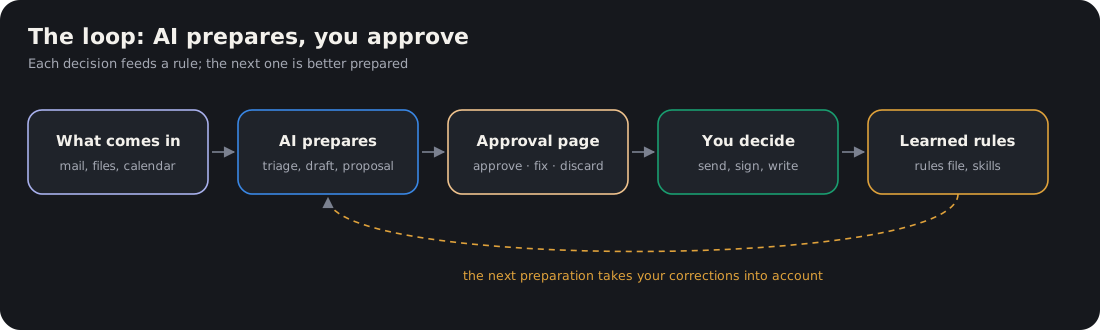
Figure. The principle behind the whole method: the AI prepares, you validate.
Day 1: safeguards
Write your rules in Claude’s preferences: never overwrite, never delete, never send, never write to the calendar without approval, no identifiable patient data. → Setting safeguards
Day 2: a root folder
Create a single folder for the AI, with your work folders laid out flat and three technical folders. → Organising your files
Day 3: three projects
One Claude project per mission: Care & department, Teaching, Research. In each one, add the reference documents (slide template, department rules, recommendations of your CNU subsection).
Day 4: a first high-yield use
Pick the one that saves you the most time this week:
- you have a manuscript to review → Reviewing a thesis or manuscript
- you have a presentation → Preparing a conference presentation
- you have a staff meeting → Preparing a staff meeting talk
- you are drowning in email → Triaging your email by action
Day 5: anticipation
List your deadlines for the next three months and build a first anticipation dashboard. → The Reactor
Next
When an instruction comes up three times, turn it into a skill (Skills and hats). When a check comes up every day, turn it into a routine (Scheduled routines).
The tools used
| Tool | What it is used for here |
|---|---|
| Claude (claude.ai, app) | Conversations, one project per mission, artifacts |
| Projects | Keeping a mission’s context (reference documents, instructions) |
| Artifacts | Interactive pages: anticipation dashboard, email triage, validation pages |
| Skills | Reusable know-how (“review this thesis”, “build this case”) |
| Connectors | Email, calendar, Drive, PubMed, read-only by default |
| Cowork / Claude Code | Working on the files on your computer (filing, imaging, databases) |
| Scheduled tasks | The morning, evening, weekly and monthly runs |
Tool names and features change: refer to Anthropic’s documentation.